AI Design Review for Figma
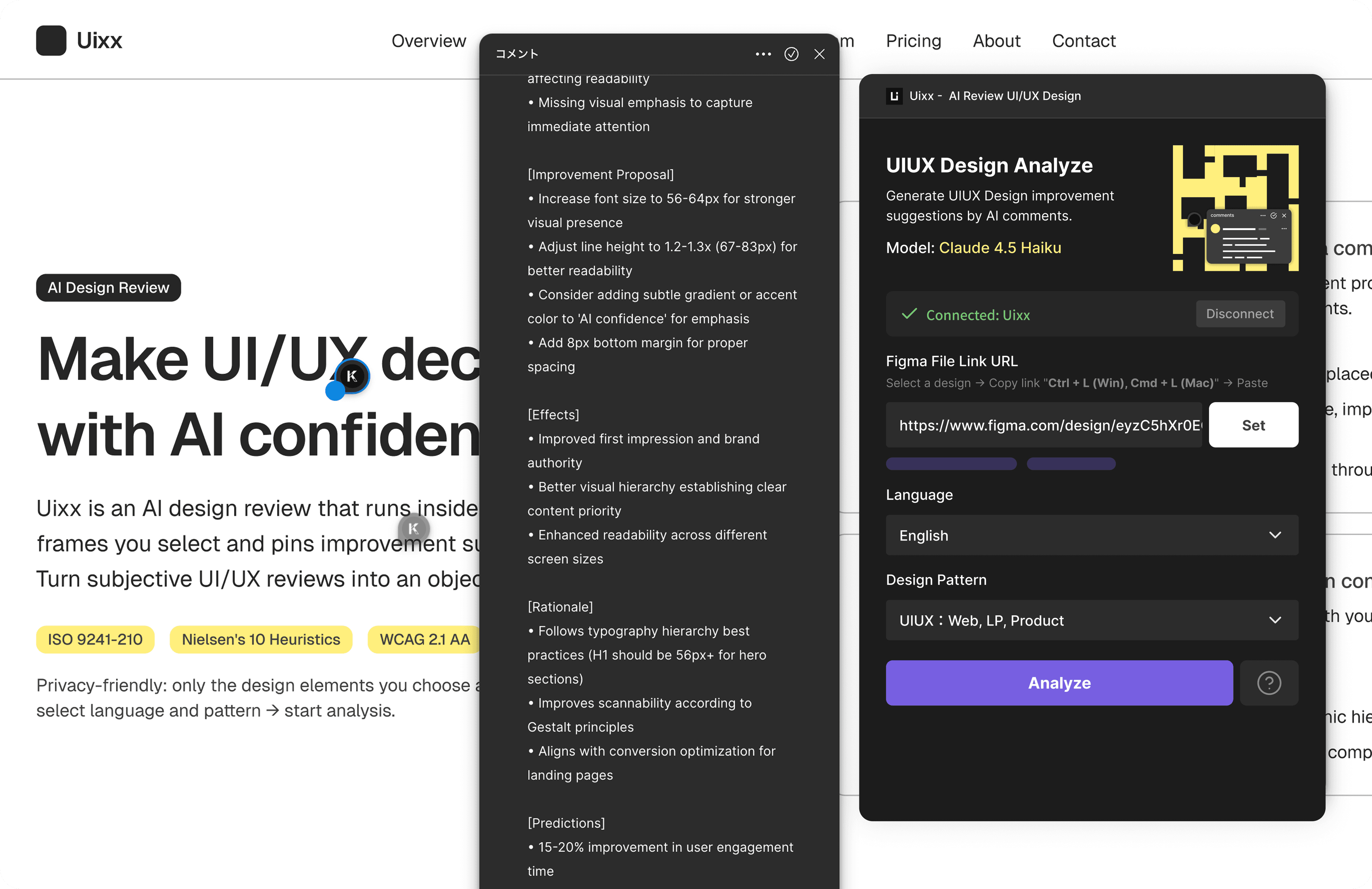
Uixx analyzes your design and provides instant, actionable improvement suggestions as pinned comments on the exact elements.

Make UI/UX decisions with AI confidence.
Connect Figma
Click "Connect Figma" to authorize your account via OAuth.
Select & paste
Select frames in Figma, copy the link, and paste it into the plugin.
AI analyzes
Claude AI evaluates your design against industry standards like WCAG, Nielsen’s heuristics, and more.
Get pinned feedback
Receive improvement suggestions as Figma comments pinned directly on the relevant elements.
Common issues in design quality
Subjective reviews vary
Different reviewers use different criteria, causing uneven quality.
Accessibility gaps
Contrast, focus, and other pitfalls slip through before implementation.
Low impact on conversion
Unclear which UI elements truly affect CVR.
Takes too much time
More screens and variants mean exponentially more checks.
Comments are scattered
Spreadsheets, chats, and comments slow decisions.
Use-case inconsistency
LPs, banners, and product UI require different criteria.
UX evaluation framework
- ISO 9241-210:Effectiveness, efficiency, satisfaction.
- Nielsen's 10 heuristics: status visibility, consistency, error prevention.
- WCAG 2.1 AA:contrast, focus indicators, keyboard navigation.
- UI principles: visual hierarchy, 8pt grid, clear CTAs.
- Design systems:color/typography consistency, reusability.
- Cognitive principles: Gestalt, Fitts/Hick/Miller's laws.
- Conversion:reduce drop-offs, optimize flows, improve high-impact UI.
Uixx solves this with AI

AI-driven design analysis
Claude identifies issues and proposes improvements.

Auto-generated comments
Actionable suggestions as Figma comments.

Precise element pinning
Firmly tied to the correct component.

Accessibility coverage
Automatic checks against WCAG 2.1 AA.

Only what you select
Privacy by analyzing only submitted elements.

Built-in UX expertise
Industry best practices in your workflow.

Real-time feedback
See and apply improvements as you work.

Hierarchy / density / 8pt
Consistent visual system adherence.

Conversion impact
Prioritize high-impact UI first.
Elevate team quality and streamline reviews.
UI/UX designers, PM/PdM brand & marketing managers
Projects requiring accessibility compliance
Teams standardizing design reviews
Individuals leveling up design skills with AI
Start reviewing designs with AI today.
Install the Figma plugin and get your first AI design review in under a minute.